What’s new?
Version 3.18
Migrate to nuke-18
Update styles
Version 3.17
Version 3.16
Nuke-16 fix install trial
Version 3.15
Adjust position of main and notification windows
Version 3.14
Fix video player widget in nuke-12
Version 3.13
Fix deprecation warning when a tool update is available
Version 3.12
Update to nuke-16
Version 3.11
Fix: studio: latest tool not showing up on bulk install
Version 3.10
Update to nuke-15
Version 3.9
Fix: Turn off blog when being in offline mode
Version 3.8
Fix variable referenced before assignment
When using connect_v3.7 it did not launch anymore when using a site licenses for any tool. This update fixes that. Sorry for the inconvenience. Due to not launching, if you are using a site license there are two ways to update to this new version:
Temporarily rename your tool’s .slic file to anything else. That will make connect launch again. Update connect, rename .slic file back to its original value.
Update connect manually by downloading it and replacing version 3.7 with version 3.8
Again, we are sorry for the inconvenience.
Version 3.7
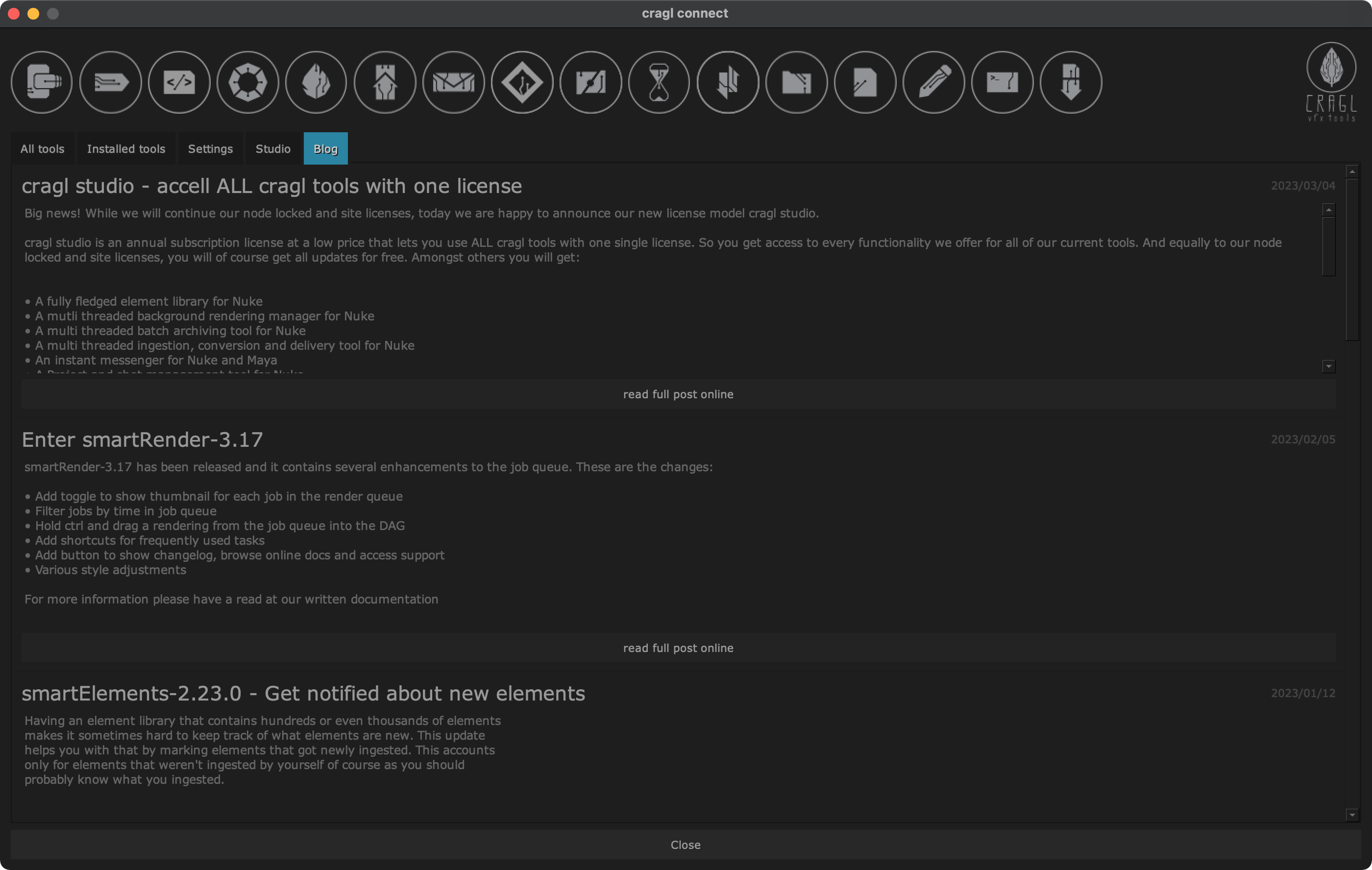
Add blog section
connect contains now a new tab ‘Blog’ which displays the recent 10 blog posts. This is a light weight version of showing only text. Click the ‘read full post online’ button for a blog entry to browse to the full online post that often contains additional information like images and videos.
Version 3.6
Fix: Download referred to incorrect path (#40)
Version 3.5
Add changelog and support button
The settings panel contains now a button that shows you connect’s changelog and you will have a support button to get quicker access to our support system.

Drive tools root directory via environment variable
By default, all cragl tools live inside a _cragl_tools directory inside
your cragl connect installation. Using the environment variable
CRAGL_TOOLS_ROOT you can change that and point connect to any other path
where connect should look for cragl tools.
Other
Add studio model
Various style changes
Version 3.4
Update splash screen
Just like that. Looks more modern :)
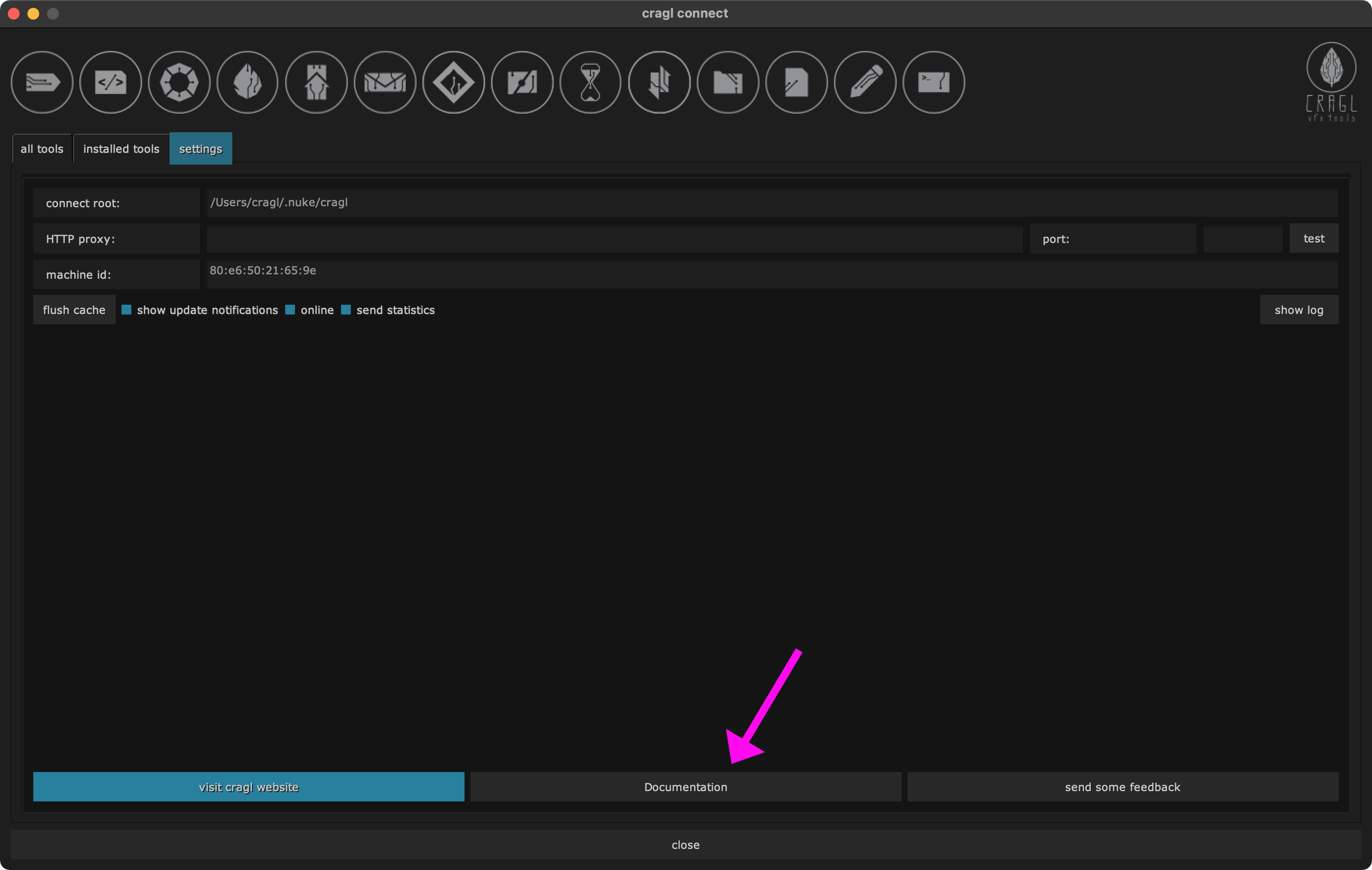
Add online documentation button
The settings section contains now an additional button to browse to connect’s online documentation. This lets you quicker browse to the documentation and tutorial.
Other
Settings: increase checkbox size for load buttons to better load/unload tools
Flush cache button: Update text and revert text after processing
In previous versions it looked like the cache button did not do anything. This update will update the text on the flush cache button once clicked to give a better user feedback.
Version 3.3
Other
Update to nuke-14
Version 3.2
Other
Fix: Launch cragl website when clicking info button under Nuke-13.1 (#23)
Version 3.1
Continue support for legacy Nuke versions
Cragl tools can now be used with legacy Nuke versions (e.g. Nuke-10 and
even older) again. In case you are locked to a certain legacy Nuke version
for whatever reason or simply launched a previous Nuke version from an
archived show that used an old Nuke version you might have experienced that
some cragl tools stopped working in these old Nuke versions. Although they
worked once in these versions. This is due to the ssl module that ships
with Nuke which got outdated and does no longer support some needed
connections. We implemented a workaround so that you can use cragl tools in
legacy Nuke versions once again. To do so, simply set the environment
variable CRAGL_USE_LEGACY_API to "1" before launching your legacy Nuke
version and cragl tools should be working again.
How to set an environment variable:
Either via your init.py in your Nuke home directory:
import os
os.environ["CRAGL_USE_LEGACY_API"] = "1"
Or via your terminal:
Windows
>>> set CRAGL_USE_LEGACY_API=1
>>> path/to/nuke.exe
Linux / MacOS
>>> export CRAGL_USE_LEGACY_API=1
>>> path/to/nuke.exe
Fix: Use subprocess with current environment under Windows-10
When trying to spawn a subprocess in which we pass the current environment then this raised a TypeError under Windows-10 because environment variable types got casted to Unicode type. A subprocess does however only support string types.
Version 3.0
Auto patch load_version to load the latest connect version on disk
We needed to update the load_version module that detects and loads the latest connect version on disk. This is a rather technical requirement that had to be done. For more background information on this change please refer to the package’s CHANGELOG.md that can be found on the root of your connect installation.
Version 2.11
Fix: Multiple signals in connect under Nuke-13 do not trigger slots
The update, load/unload and uninstall widgets for tools in connect’s ‘installed tools’ tab did not trigger the respective actions under Nuke-13. This has been fixed now so that you can update, load/unload and uninstall tools.
Version 2.10
Connect is now Nuke-13 ready for Linux, MacOS and Windows.
Version 2.9
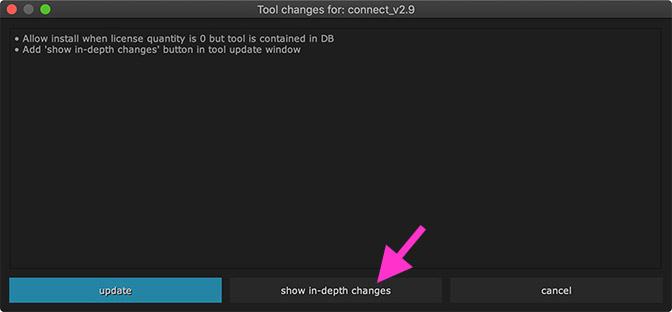
Add ‘show in-depth changes’ button in tool update window
The tool update window contains now a ‘show in-depth changes’ button. Clicking this button navigates you to the ‘updates.html’ page of the respective tool’s documentation page. This page gives a bit more information about the changes of any tool version and creates more transparency in what has changed between versions.
Allow install when license quantity is 0 but tool is already contained in DB
This was not possible in previous versions but has now been enabled.
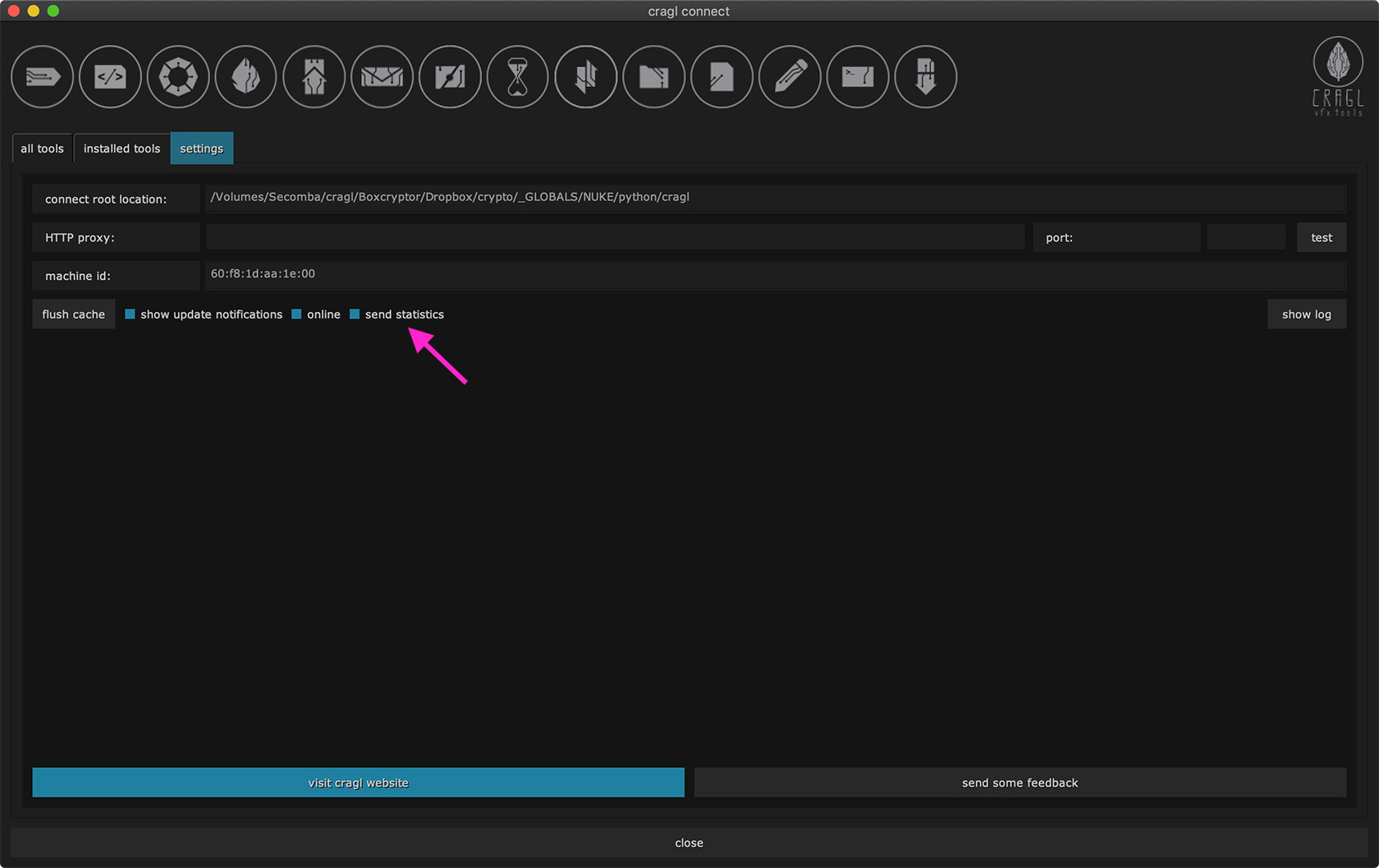
Send statistics
In order to offer you best plugins we would like to keep record of your
used operating system and Nuke version. This helps us very much to get
better insight about your needs for all current and upcoming cragl tools.
By default, we keep record of this information and would kindly ask you
to keep this functionality enabled. But if you don’t want that then this
is totally fine. You can disable it by un-checking the ‘send statistics’
checkbox in connect’s settings tab or by setting the environment variable
CRAGL_SEND_STATISTICS to False.
Version 2.8
Compare tool versions using LooseVersion when checking for tool updates
Version 2.7
Bring back video player for tools in Nuke-12 and Nuke-10 and below (#13)
In the past, we used to have a video player in the connect main window to be able to view any tool teaser right inside of Nuke. However, Nuke-11 missed some crucial multimedia libraries which made playback of videos not feasible. Since Nuke-12 some new multimedia libraries were added so that we were now able to bring back the video player feature for our tools for Nuke-12 onwards and Nuke-10 and below. When running in Nuke-11 you will see a static image for the currently viewed tool.
Clicking any badge logo launches the tool’s web page (#14)
The connect main window shows logos for all installed tools. Clicking any of these will launch the tool’s web page in your browser. This is also a quick way to jump to a tool’s page and its online documentation.
Version 2.6
Fix: Show auto version update notification not triggered in Nuke-12
Bring back splash screen
Version 2.5
Speed up launching connect by being able to explicitly run in offline mode
Version 2.4
Make Nuke12 ready
Version 2.3
Open up for site licenses
Use credentials to install a tool
Add sphinx documentation
Update internal package structure
Version 2.2
Make shortcut to open connect editable
Enable Proxy mode
Bring back the ‘trial’ button for uninstalled tools
Version 2.1
Code Optimizations to improve loading speed
Create and enable caching
Enable installation for free tools
Version 2.0
Make Nuke11 ready
Major code updates and code improvements
Version 1.3
Settings tab - show connect root location
Fix bug that caused connect in some occasions not starting because of missing dll files in windows 10
Version 1.2
Overall code optimization
Double click a tool from the short description on the left to show it in the tool description on the right
Optimized offline mode
Version 1.1
Fix bug that caused connect from not working correctly when working in offline mode
Version 1.0
Initial Release