Links and source nodes
When creating links, smartLink will add some knobs to the nodes. Let’s create a link for one or our Read nodes in our current Nuke script as described in the previous section and then let’s have a look at what gets added to our nodes.
The source node
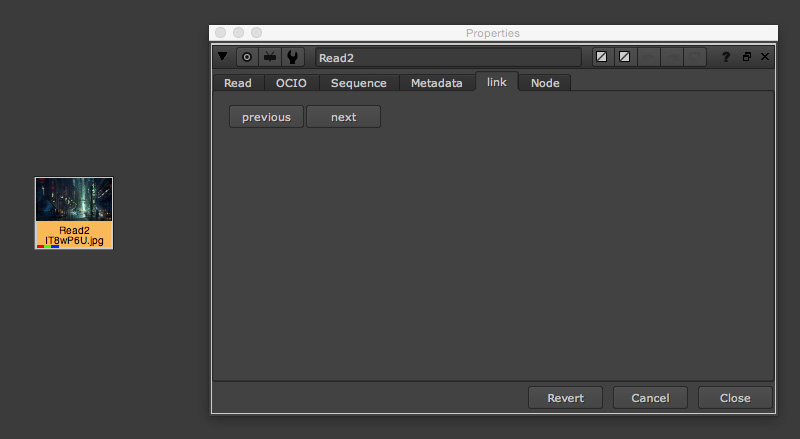
As soon as you create a link, your source node gains a new tab called link. This tab contains two buttons that let you cycle between the source node’s links:
previous: Clicking jumps to the previous link.
next: Clicking jumps to the next link.
Note
You can use the hotkey Ctrl + Arrow Right/ Left (Linux/ Windows) or cmd + Arrow Right/ Left (Mac) to cycle your links.
The link node
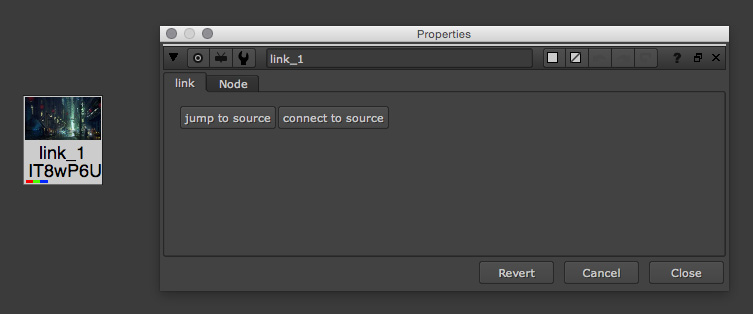
Your link node includes a custom tab called link. This tab contains two buttons:
jump to source: Clicking jumps to the link’s source node.
connect to source: Clicking connects the link to its source node in case you disconnect the link from the source node.
Note
You can use the hotkey Ctrl + Arrow Up (Linux/ Windows) or cmd + Arrow Up (Mac) to jump to the link’s source node.