What’s new?
Version 2.20
Migrate to nuke-18
Update styles
Version 2.19
Version 2.18
Fix get versions when path contains version like info in path
This update fixes getting neighbour versions when the path itself already contains a version like string.
Version 2.17
Close smartRecents main window before showing Open-Append dialog
When loading a working file, this will now close the smartRecents main window before opening the Open-Append dialog. This leaves you with a better experience reaching Nuke’s built-in ‘open autosave’ dialog.
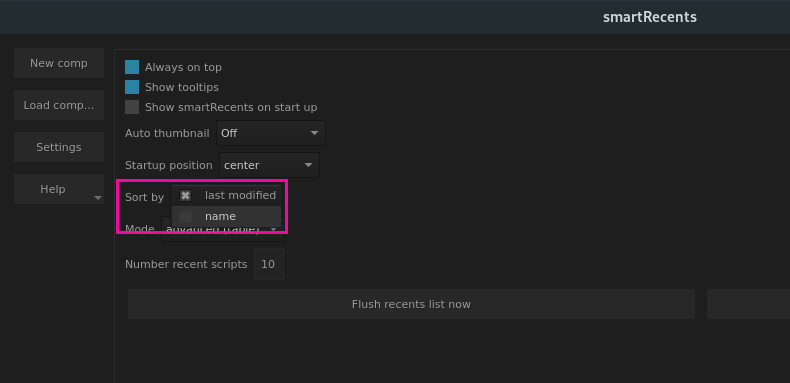
Configure to sort files by last modified and name
In the setting section you can now choose the file sorting mode in the table. Choose between sorting by last modified and name.
Fix double-clicking header raises error
In previous versions, clicking any column in the header raised an AttributeError.
Version 2.16
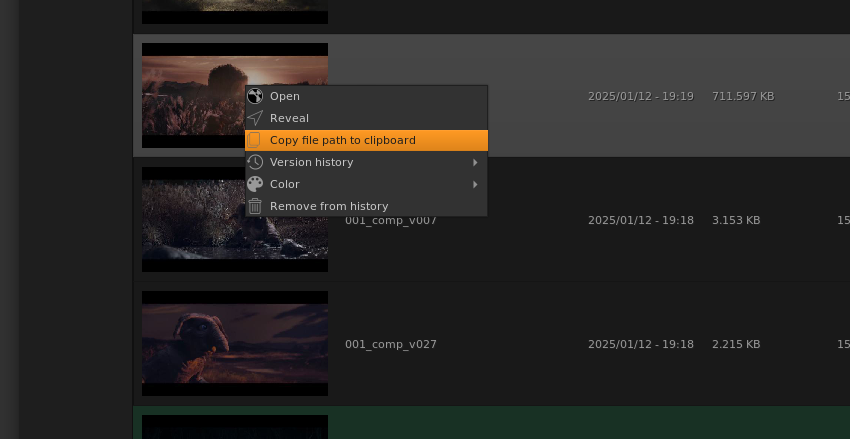
Right click menu: Add copy file path action
Select a working file, right click and copy its file path to your clipboard.
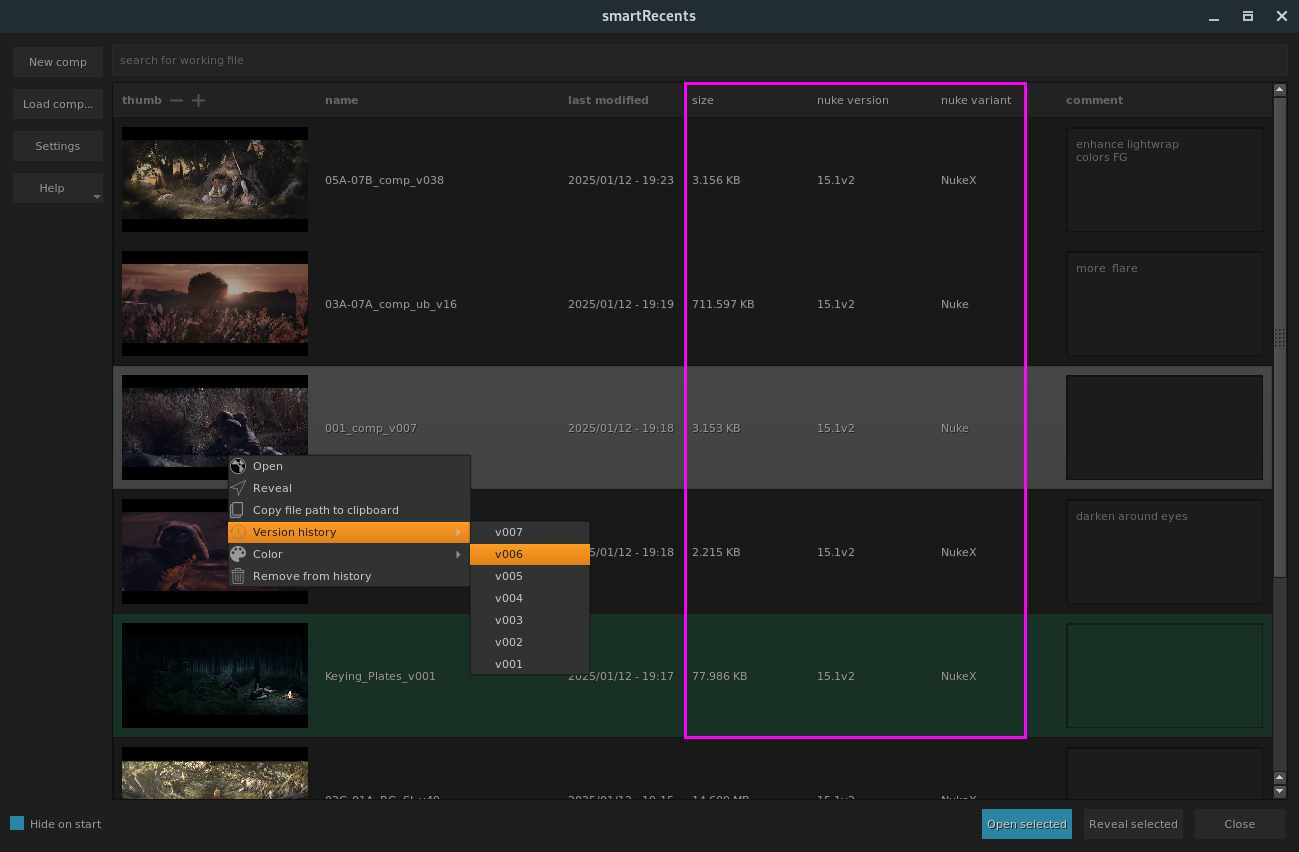
Show file size, Nuke version and Nuke variant
The smartRecents window contains now three new columns to give you additional information about your history. You get the file size, used Nuke version and used Nuke variant for each working file.
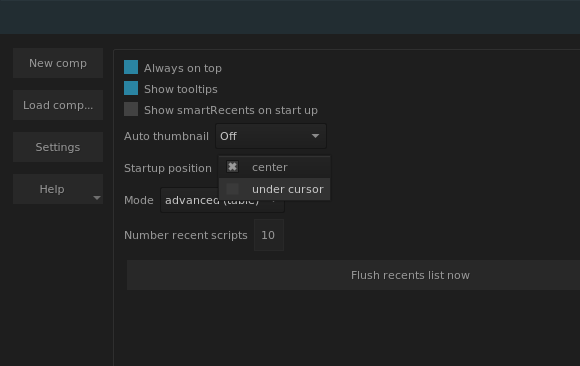
Configure to show window under cursor or centered to screen
In the settings page you can now configure to launch the smartRecents main window centered on your screen or under your cursor.
Version 2.15
Update to nuke-16
Version 2.14
Fix: Create default
auto_thumbnailsettings for new settings file
In previous versions, running smartRecents for the first time caused an issue with launching and it got fixed automatically the next time you launched smartRecents. This has been fixed now and does not create any issue on first launch anymore.
Version 2.13
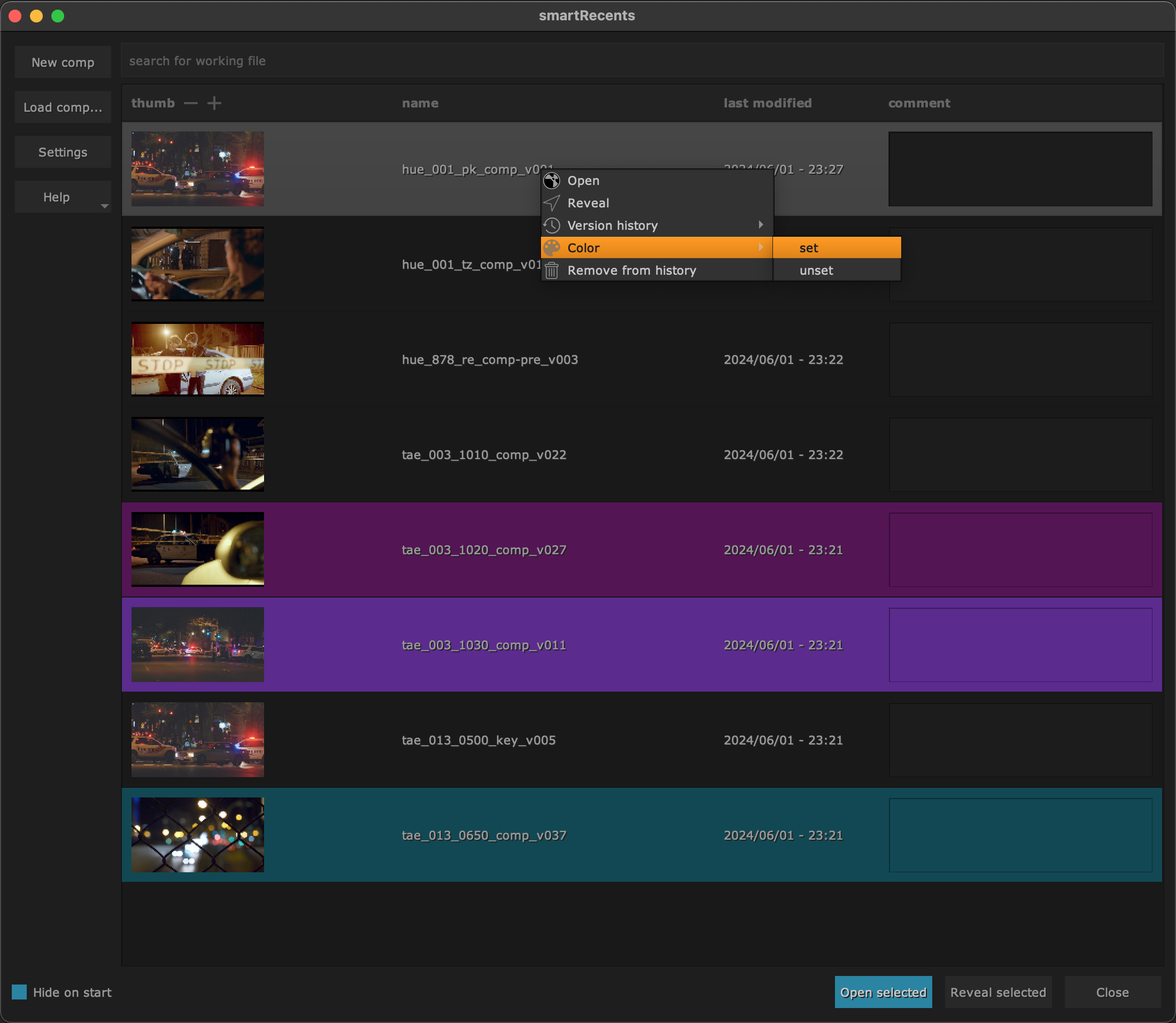
Color code working files
Right click a working file in smartRecents and choose color -> set to
set a custom color. The working file gets then marked with that color in
smartRecents. Use color -> unset to remove the color.
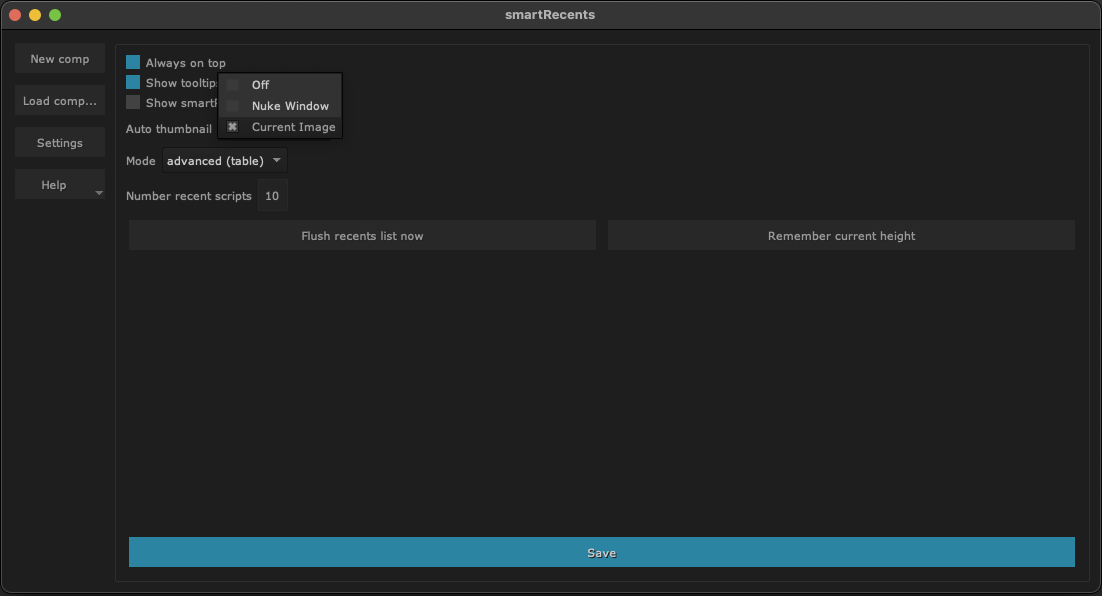
Auto capture thumbnail
smartRecents contains now functionality to auto set a thumbnail for the working file when closing it. In the settings choose to use a screenshot of the Nuke app window or auto render a thumbnail from the node that the current viewer is connected to.
Other
Double click item to launch working file
Version 2.12
Update to nuke-15
Version 2.11
Fix: Reveal in explorer on Windows launches documents folder
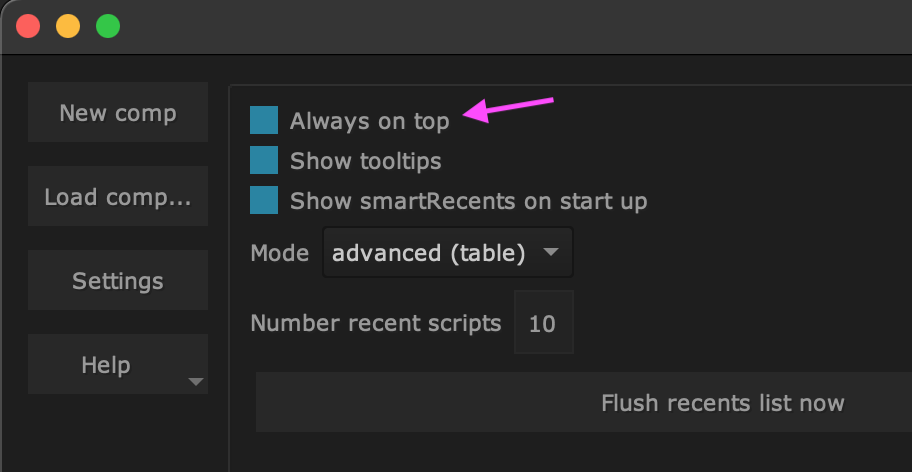
Configure to be always on top. Requires a restart of smartRecents to take effect.
Version 2.10
Implement table history view, incl. thumbnails and comments
We introduced the table history view. This view offers some more functionality compared to our former list view:
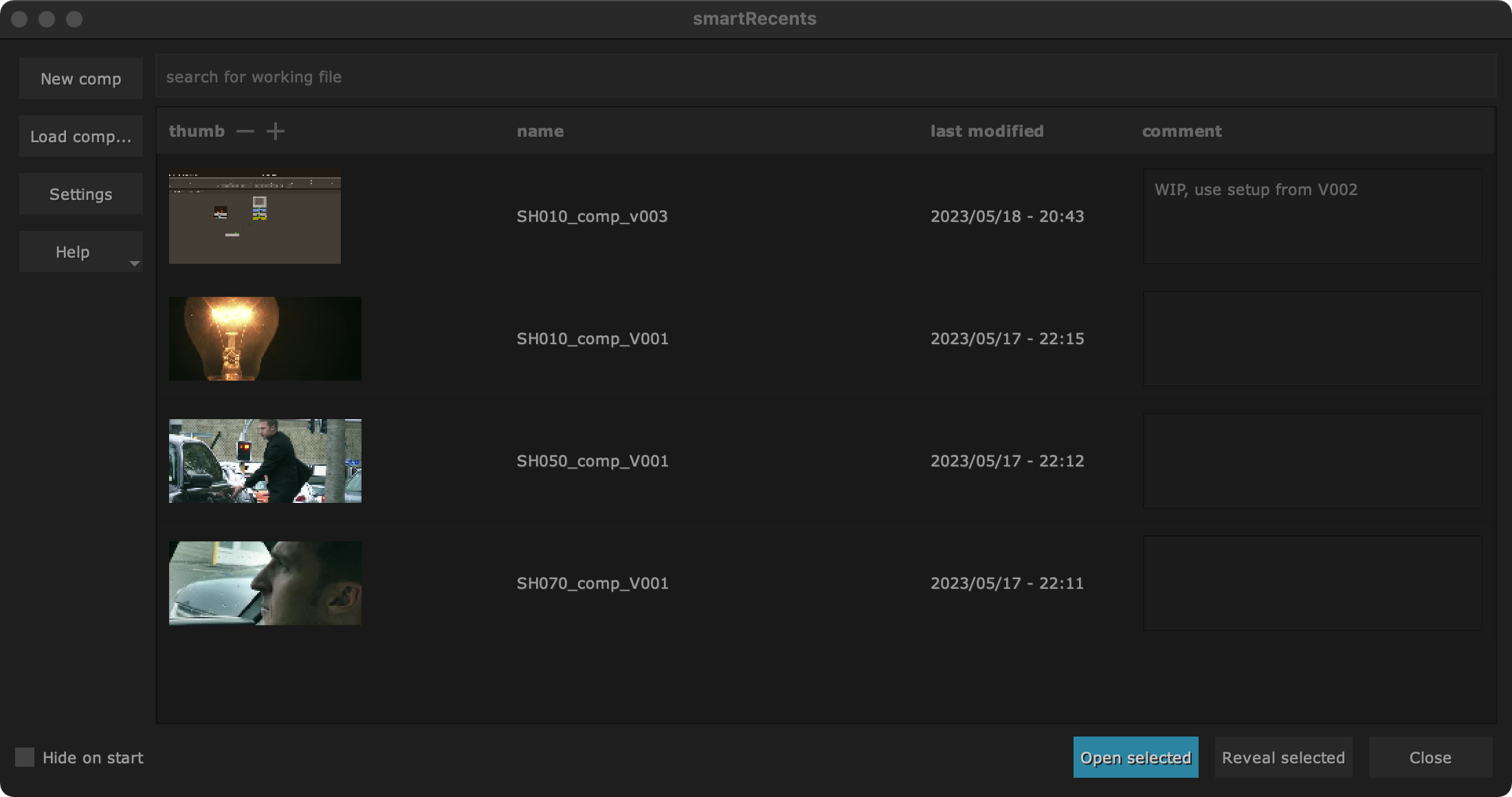
The table history view offers:
Adjustable thumbnails that are resizable to your needs
Information about last modify date
Comments to keep track of what has been done and what needs to be done
By the way: Shot thumbnails taken via smartRecents work in smartLib as well and vice versa.
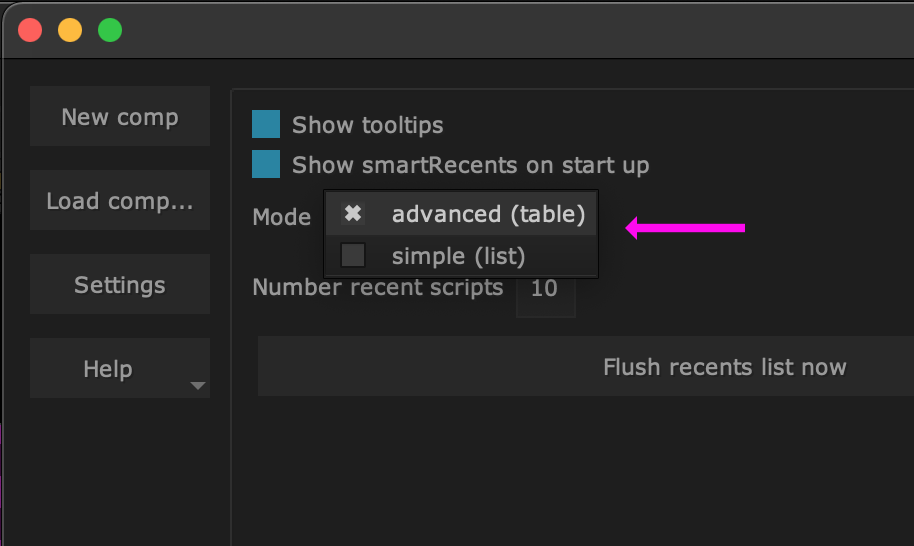
The table history mode is the new default viewing mode. In the settings section you can switch back to the former list view if you need to:
Tip
smartRecents’ thumbnails are compatible with the thumbnails in smartLib.
If a shot contains a .docs folder around your working file as we use in
smartLib then a screenshot will be exported into that directory. If it does
not exist we export a thumbnail in
~/cragl/smartRecents/thumbs/<name of working file>.jpg. In order to
get information where each thumbnail is loaded from set the environment
variable CRAGL_SMARTRECENTS_SHOW_THUMBNAIL_PATHS to 'True' prior to
launching Nuke. The thumbnail paths get then logged in your terminal when
launching smartRecents
Add right click menu for items
You can now right click any working file in smartRecents and execute several commands for it:
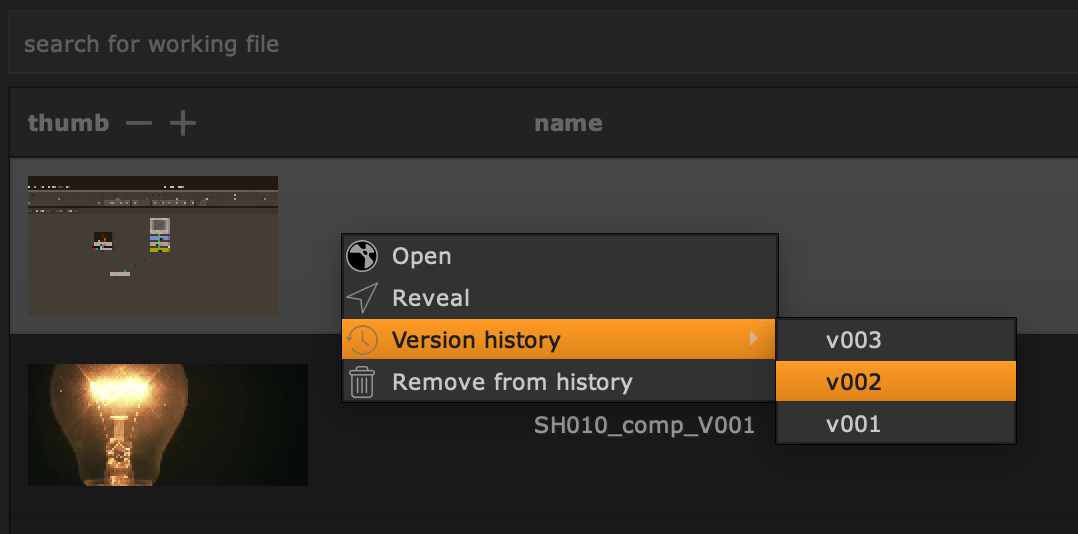
Open: Open the seleccted working file. Choose between opening it or appending its nodes into the root of the current working file or importing it as a collapsed Group node.
Reveal: Click to reveal the working file in your explorer.
Version History: Open or insert previous working files.
Remove from list: Remove the working file from smartRecents. It stays untouched on disk and is just removed from the working file list.
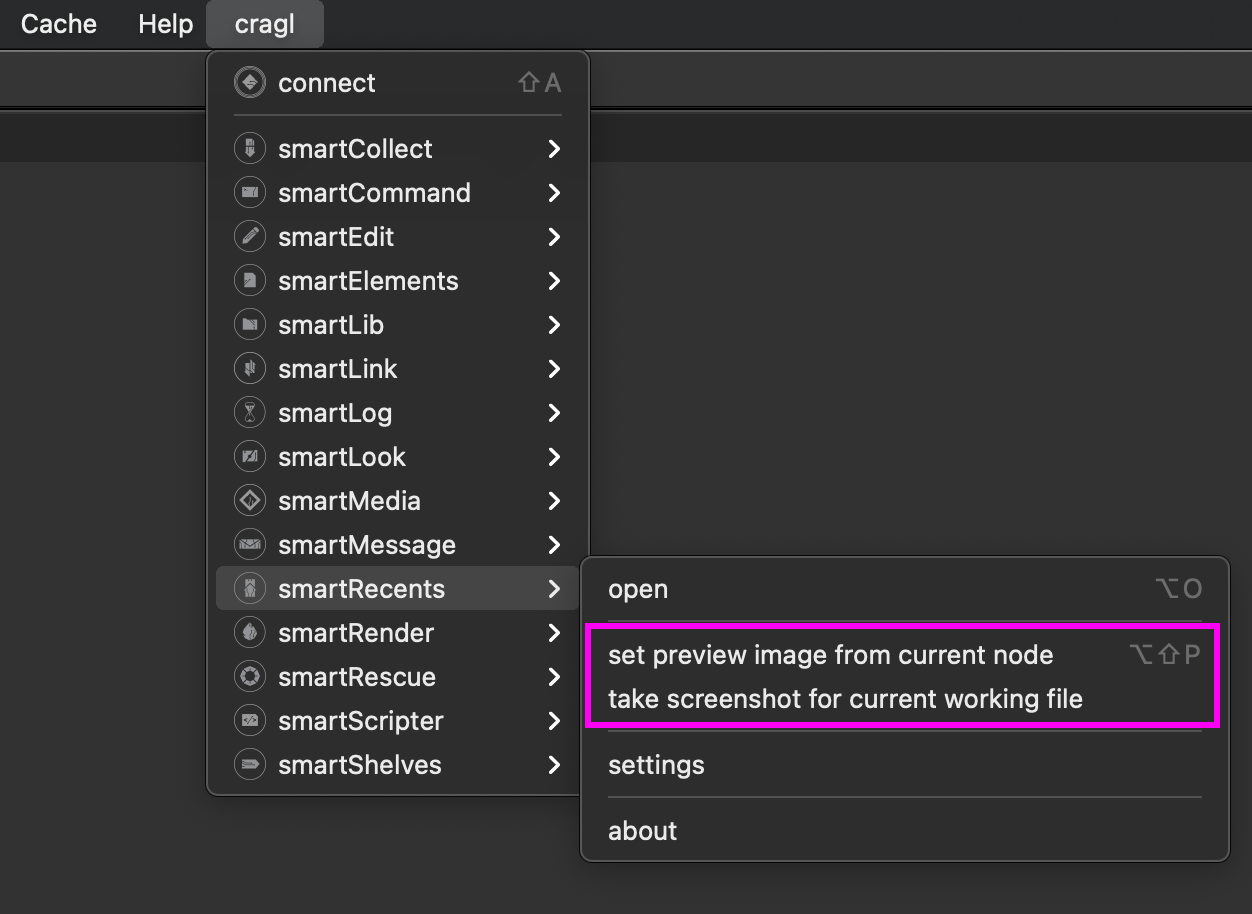
Set thumbnail preview from selected node / take screenshot using snipping tool
Select a node and set a thumbnail for the current shot by using the current node selection or by take a screenshot using a snipping tool.
Append as Group
We added a new insertion mode ‘Append as Group’. This mode will import the selected working file as a collapsed Group node into the current working file. This is particularly useful if you want to quickly bring in some node setups from another shot or a previous working file version.
Version 2.9
Add studio model and various style changes
Search license files in all CRAGL_LICENSE_ROOTS from environment
Add absolute paths of directories to the environment variable
CRAGL_LICENSE_ROOTS. All cragl products will search for license files in
these root directories as well. Concatenate multiple paths by semicolon ;
under Windows and colon : under Linux/MacOS.
Show only working files that exist on disk
The smartRecents window shows now only working files that actually exist on disk.
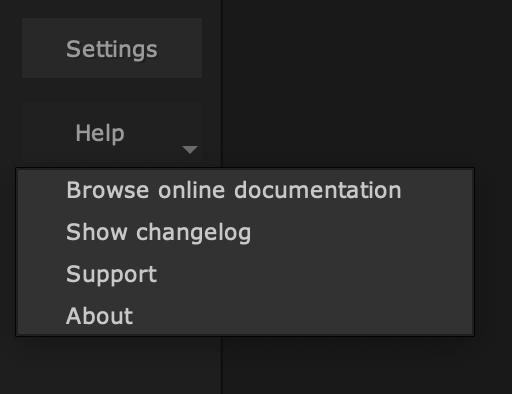
Add browsing docs, changelog and support
The smartRecents window contains now an additional ‘Help’ button. Clicking it give you access to the following functionality:
Version 2.8
Other
Update to nuke-14
Version 2.7
Other
Fix dropping license into license window raises UnicodeDecodeError
Version 2.6
Other
Fix reading trial license data fails decrypting
Version 2.5
Make Nuke-13 ready
Version 2.4
Allow install if mac id is already in DB and licence quantity is 0
Speed up launching in offline mode
Version 2.3
Open/ append working file via drag and drop from main window into DAG
Create sphinx documentation
Version 2.2
Open up for site licenses
Generate license by license file, login and install code
Update internal package structure
Version 2.1
Add search input to search for working files
Remember window size
Code cleanups
Version 2.0
Make Nuke11 ready
Major code updates and code improvements
Version 1.0
Initial release